

SQL Trigerid
Example: Automatically Track When a User Record Is Updated
Step 1: Create Main Table
CREATE TABLE users (
    id INT PRIMARY KEY,
    name VARCHAR(50),
    email VARCHAR(100),
    updated_at TIMESTAMP
);
Step 2: Create Trigger
This trigger automatically updates the updated_at field whenever the user record is modified.
CREATE TRIGGER update_timestamp
BEFORE UPDATE ON users
FOR EACH ROW
BEGIN
    SET NEW.updated_at = CURRENT_TIMESTAMP;
END;
Step 3: Insert Sample Data
INSERT INTO users (id, name, email) VALUES (1, 'Amit', 'amit@example.com');
Output
| id | name | updated_at | |
|---|---|---|---|
| 1 | Amit | amit@example.com | NULL (not updated yet) |
Step 4: Update a Record
UPDATE users SET email = 'amit_new@example.com' WHERE id = 1;
| id | name | updated_at | |
|---|---|---|---|
| 1 | Amit | amit_new@example.com | 2025-10-27 12:45:23 (current timestamp auto-updated) |
Syntax:
create trigger [trigger_name]
[before | after]
{insert | update | delete}
on [table_name]
FOR EACH ROW
BEGIN
END;
In this explanation:
- trigger_name: The name of the trigger to be created
- BEFORE | AFTER: Specifies whether the trigger is fired before or after the triggering event (INSERT, UPDATE, DELETE).
- {INSERT | UPDATE | DELETE}: Specifies the operation that will activate the trigger.
- table_name: The name of the table the trigger is associated with.
- FOR EACH ROW: Indicates that the trigger is row-level, meaning it executes once for each affected row.
- trigger_body: The SQL statements to be executed when the trigger is fired.
Types of SQL Triggers
Triggers can be categorized into different types based on the action they are associated with:
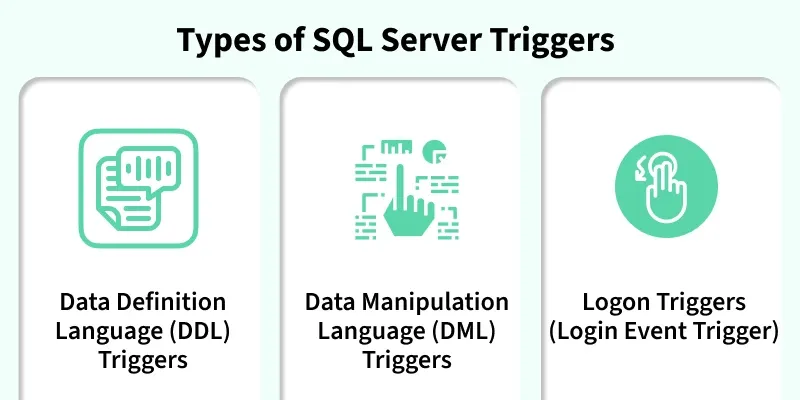
1. DDL Triggers
The Data Definition Language (DDL) command events such as Create_table, Create_view, drop_table, Drop_view, and Alter_table cause the DDL triggers to be activated. They allow us to track changes in the structure of the database. The trigger will prevent any table creation, alteration, or deletion in the database.
Example: Prevent Table Deletions
CREATE TRIGGER prevent_table_creation
ON DATABASE
FOR CREATE_TABLE, ALTER_TABLE, DROP_TABLE
AS
BEGIN
PRINT ‘you can not create, drop and alter table in this database’;
ROLLBACK;
END;
Output:

2. DML Triggers
DML triggers fire when we manipulate data with commands like INSERT, UPDATE, or DELETE. These triggers are perfect for scenarios where we need to validate data before it is inserted, log changes to a table, or cascade updates across related tables.
Example: Prevent Unauthorized Updates Let’s say you want to prevent users from updating the data in a sensitive students table. We can set up a trigger to handle that:
CREATE TRIGGER prevent_update
ON students
FOR UPDATE, INSERT, DELETE
AS
BEGIN
RAISERROR (‘You can not insert, update and delete rows in this table.’, 16, 1);
END;
Output:

Note:
ROLLBACK TRANSACTIONcan included for safety, but in most casesRAISERRORitself will prevent the DML from completing.
3. Logon Triggers
Logon triggers fire in response to user logon events. They are used to monitor login activity, restrict access, or limit active sessions for a login. Messages and errors from these triggers appear in the SQL Server error log. However, they cannot handle authentication errors.
Example: Track User Logins
CREATE TRIGGER track_logon
ON LOGON
AS
BEGIN
PRINT ‘A new user has logged in.’;
END;
Triger (päästik, trigger) on protsess, mille abil tema sisse kirjutatud tegevused (INSERT, DELETE, UPDATE) automaatselt käivitatakse.
INSERT

DELETE

UPDATE


XAMPP
INSERT


DELETE


UPDATE


SQL USERS


