

WPFront Notification Bar My plugin
Description
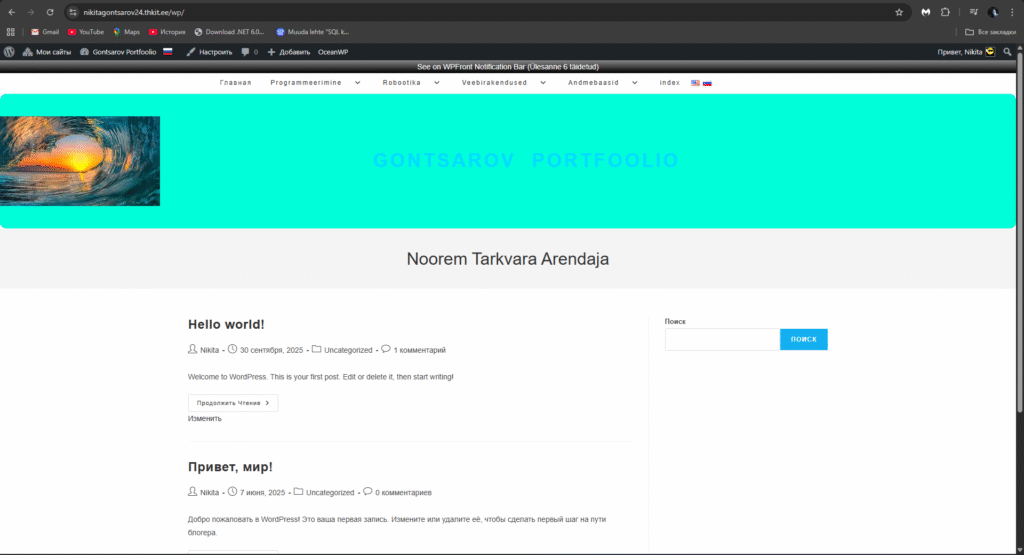
WPFront Notification Bar is a simple WordPress plugin that adds a notification bar to the top of your website. It can be used to display announcements, information, links, or short messages. The bar is immediately visible to visitors and does not require the use of a separate shortcode on the page.
What the plugin does / what I used it for
Displays a notification bar at the top of every page
Allows you to add short text or links
Gives you the opportunity to quickly display information to all visitors
Suitable for presentations and portfolio work, as the result is VISUAL
In this task, I used this plugin to show a real working interface, the result of which the visitor can see immediately without opening the page content.
Setup steps
I installed and activated the WPFront Notification Bar plugin
I went to the Settings → WPFront Notification Bar menu
I enabled the Enable Bar option
I added my message: “This is WPFront Notification Bar (Task 6 completed)”
I saved the settings and checked the result on the front page
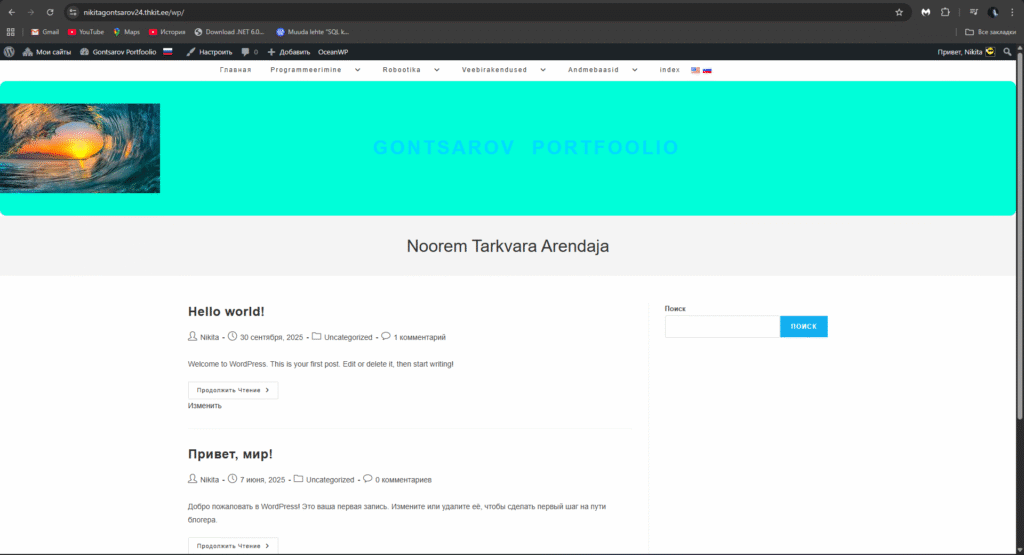
The result in screenshots
Before:
After:
Link to plugin
https://wordpress.org/plugins/wpfront-notification-bar/