

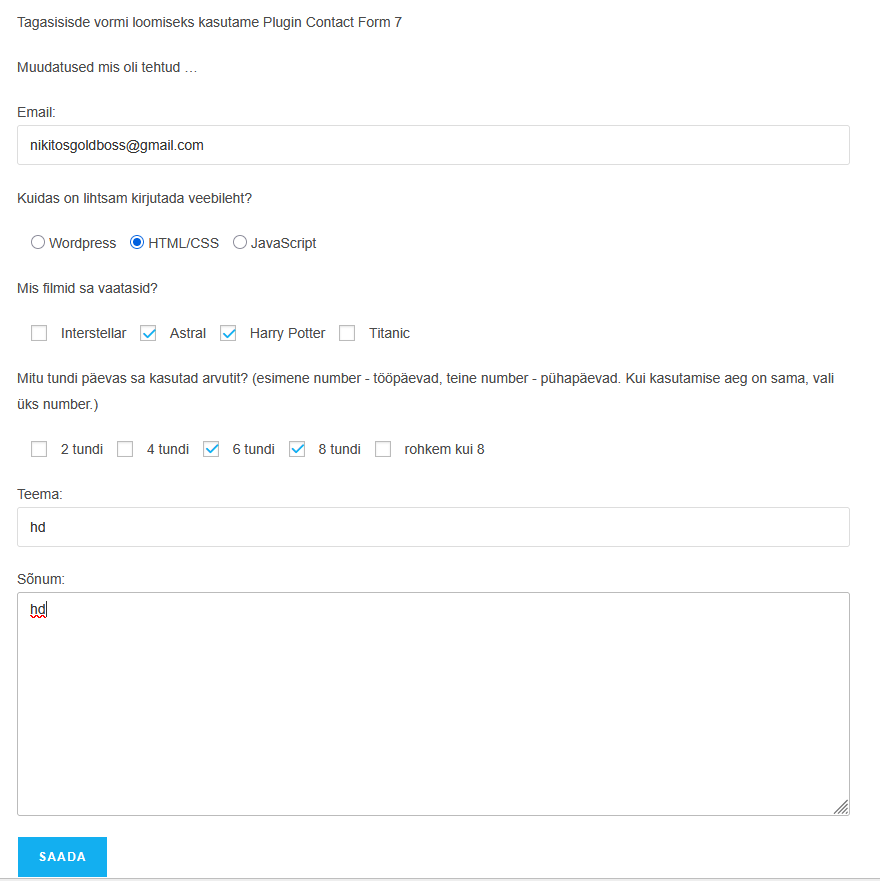
Tagasisisde vormi loomiseks kasutame Plugin Contact Form 7
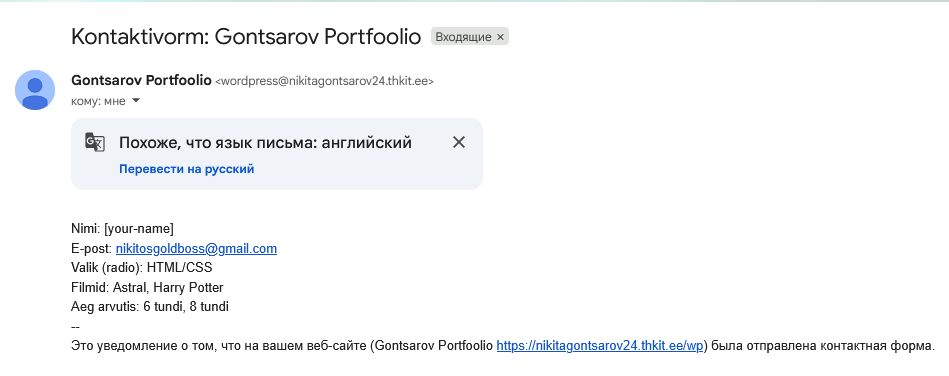
Muudatused mis oli tehtud …
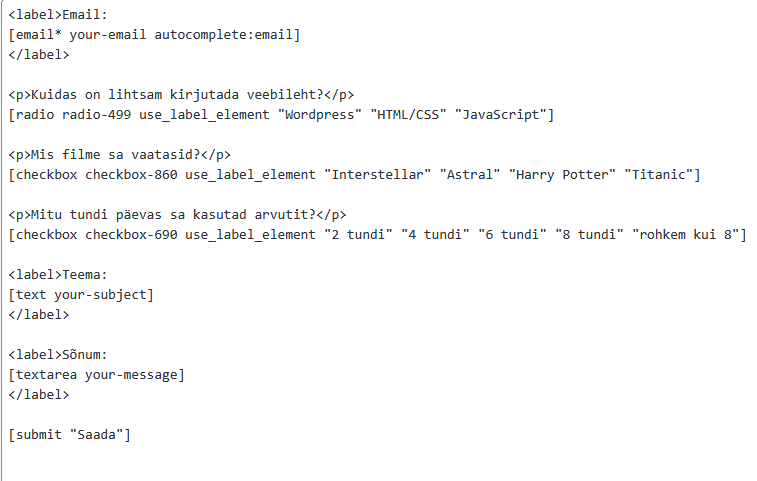
<label>Email:
[email* your-email autocomplete:email]
</label>

<p>Kuidas on lihtsam kirjutada veebileht?</p>
[radio radio-499 use_label_element "Wordpress" "HTML/CSS" "JavaScript"]

<p>Mis filmid sa vaatasid?</p>
[checkbox checkbox-860 use_label_element "Interstellar" "Astral" "Harry Potter" "Titanic"]

<p>Mitu tundi päevas sa kasutad arvutit? (esimene number - tööpäevad, teine number - pühapäevad. Kui kasutamise aeg on sama, vali üks number.)</p>
[checkbox checkbox-690 use_label_element "2 tundi" "4 tundi" "6 tundi" "8 tundi" "rohkem kui 8"]

<label>Teema:
[text your-subject]
</label>

<label>Sõnum:
[textarea your-message]
</label>

[submit "Saada"]

Description
Contact Form 7 is a popular WordPress plugin that adds a contact form to your site. You need to create and set up a contact form before you can add it to a page. Sign in to WordPress. Install and activate the Contact Form 7 plugin. On the left-side menu, select Contact and then Add New to create a new contact form.
Docs and support
You can find docs, FAQ and more detailed information about Contact Form 7 on contactform7.com. When you cannot find the answer to your question on the FAQ or in any of the documentation, check the support forum on WordPress.org. If you cannot locate any topics that pertain to your particular issue, post a new topic for it.
Contact Form 7 needs your support
It is hard to continue to maintain this plugin without support from users like you. There are several ways for you to contribute to the project: testing, coding, translating it into your local languages, helping other users, financial donations, etc, etc. We equally welcome you regardless of the way you contribute.
Privacy notices
With the default configuration, this plugin, in itself, does not:
- track users by stealth;
- write any user personal data to the database;
- send any data to external servers;
- use cookies.
If you activate certain features in this plugin, the contact form submitter’s personal data, including their IP address, may be sent to the service provider. Thus, confirming the provider’s privacy policy is recommended. These features include:
- reCAPTCHA (Google)
- Akismet (Automattic)
- Constant Contact
- Brevo
- Stripe
- Turnstile (Cloudflare)